


Picture this: you park at home, but your dash cam keeps recording all night.
The result? A slowly draining battery, hours of unwanted footage, and unnecessary operation when parking monitoring isn't needed. And the worst part—you have to manage it manually. What if your dash cam knew when to stop?
With VIOFO's geofencing feature, it finally does. In this article, we'll break down what geofencing is, how it works in VIOFO dash cams, and why it's a game-changer for a smoother, smarter parking experience.
What Is Geofencing?
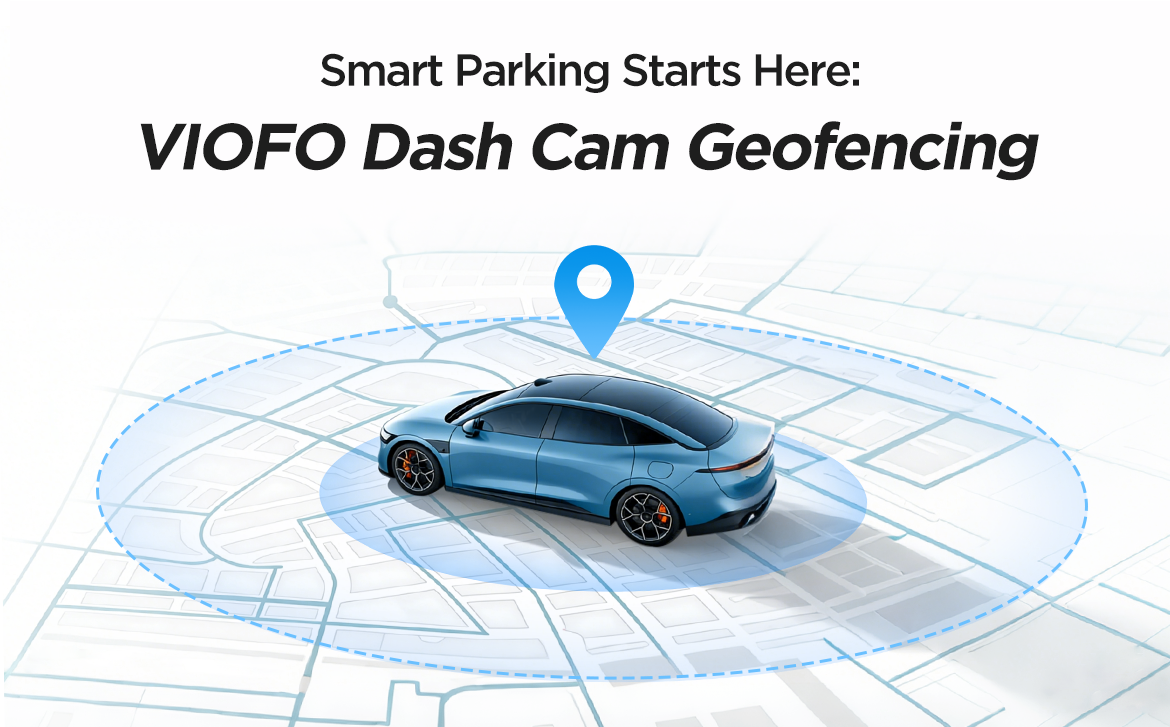
Think of geofencing as a smart location-based parking control zone for your vehicle. It uses GPS to create a virtual boundary around the places you trust—like your home garage or office parking lot.
When your vehicle is parked inside this designated zone, your compatible VIOFO dash cam automatically shuts off completely (or enters Low Power Impact Recording mode on supported models) instead of entering standard Parking Mode. Outside the zone, standard Parking Mode kicks in to continue parking monitoring.
Whether you want to save battery, free up storage, or make your daily routine easier, geofencing makes your dash cam work smarter. 
How Does Geofencing Work?
Normally, a dash cam connected with a hardwire kit enters parking mode every time you turn off the engine. Geofencing establishes a virtual perimeter around your "safe zones" using geographic coordinates. When your dash cam recognizes it has been parked within that designated area, it adjusts its parking behavior.
Here's what happens every time you park with the geofencing feature:
▪️GPS Detection: The dash cam uses its built-in GPS to determine the vehicle's location.
▪️Zone Recognition: The moment you turn off the ignition, the camera checks whether your current location matches one of your preset "safe zones."
▪️Smart Mode Switching: If the vehicle is inside a safe zone, the dash cam will power off completely to minimize battery drain. You can also choose to enter Low Power Impact Recording mode on supported models, keeping impact detection active while consuming minimal power. No need to switch settings manually each time you park.
▪️Fail-Safe Protection: If a reliable GPS position is unavailable when the vehicle enters parking mode, geofencing may not activate, and the dash cam will use its normal parking mode setting instead.

Why Does Geofencing Matter?
▪️A Truly Hands-Free Experience
Once set, geofencing works quietly in the background. You no longer have to manually change settings, unplug the cable, or remember to turn it off when you get home. The dash cam automatically recognizes whether the vehicle is inside a preset safe zone and handles the transition on its own.
▪️Preserve Your Car Battery
Even with low-voltage protection, standard Parking Mode continues to draw power until the cutoff threshold is reached. By enabling geofencing, your dash cam automatically powers off (or switches to Low Power Impact Recording on supported models) in trusted locations, reducing unnecessary battery drain during extended parking.
▪️Save Storage Space
Garage doors opening, changing shadows, small animals, or other routine movement can generate unnecessary parking footage. Geofencing helps avoid these recordings in trusted locations, keeping more storage available for footage that matters.
▪️Flexible Protection with Less Unnecessary Recording
Fewer unnecessary recordings mean fewer write cycles on the memory card and less continuous operation when parking surveillance isn't needed. Plus, you get the added flexibility of choosing between complete power-down or Low Power Impact Recording mode on supported models.

How to Set Up Geofencing?
Before setting up geofencing, it's important to understand a few technical realities:
▪️GPS accuracy may be affected in deep underground garages or areas with heavy signal interference.
▪️A solid GPS signal is required before the engine is turned off so the camera can recognize the Safe Zone correctly.
Compatible Models & Feature Differences
Geofencing is available on selected VIOFO models with model-specific capabilities:
▪️T340 Series / T330 Series / A329S Series / A149 Pro Duo: Support both Power Off and Low Power Impact Recording inside geofenced zones.
▪️A329 / A229 Ultra Series / A229 Pro Series / A229 Plus Series / A119M Pro: Support Power Off only inside geofenced zones.
Setup Steps
You can set up “Safe Zones” through the dash cam menu on models with a screen or through the VIOFO Dashcam App.
▪️Step 1 – Update Firmware & App
Make sure your dash cam firmware and VIOFO Dashcam App are up-to-date.
Check the latest version: https://www.viofo.com/pages/firmware
▪️Step 2 – Navigate
Open Parking Recording > GeoFencing in the dash cam menu or VIOFO Dashcam App, depending on your model.
▪️Step 3 – Set Your Zone & Action
Save the current location as Zone 1, Zone 2, or Zone 3. On T340 Series, T330 Series, A329S Series, and A149 Pro Duo models, choose between Power Off or Low Power Impact Recording; for other supported models, enable automatic Power Off inside the zone.
▪️Step 4 – Adjust Radius
Select an appropriate geofence radius based on your parking environment.
 (VIOFO Dash Cam Menu Setup Steps)
 (VIOFO Dashcam App Setup Steps)
Pro Tip for Setup:
Wait until the dash cam confirms a stable GPS connection before saving the zone. After setup, test the geofencing feature a few times to make sure it works as expected.
Frequently Asked Questions
Q1: Will geofencing affect my normal driving recording?
No. Geofencing does not affect normal driving recording. It only changes parking behavior after the vehicle is turned off.
Q2: Which models support Low Power Impact Recording mode in Geofencing?
Currently, Low Power Impact Recording mode inside geofenced zones is supported by the T340 Series, T330 Series, A329S Series, and A149 Pro Duo. Other supported models (A329, A229 Ultra, A229 Pro, A229 Plus, and A119M Pro) will automatically power off completely when parked inside a designated safe zone.
Q3: How many safe zones can I save?
Up to 3 safe zones (Zone 1, Zone 2, and Zone 3). Common choices include your home garage, office parking lot, or a frequently visited family member’s or friend’s home.
Q4: Does geofencing work without a hardwire kit?
Geofencing is designed to control parking behavior and therefore requires a compatible parking-mode power setup, such as a hardwire kit or supported dash cam battery pack. If your dash cam runs only on the cigarette lighter cable, it already powers off with the engine—you don’t need geofencing.
Q5: What happens if my GPS signal is weak when I park (e.g., in an underground garage)?
If a reliable GPS position is unavailable when the vehicle enters parking mode, geofencing may not activate, and the dash cam will use its normal parking mode setting instead.
Q6: Can I edit or delete a saved safe zone?
Yes. Go to Parking Recording > GeoFencing and select the zone you want to change. The radius is adjustable at any time.
Q7: Does my older A119 / A129 / A139 support geofencing?
No. Geofencing is currently available only on selected supported models with compatible GPS hardware and firmware. Supported models include the T340 Series, T330 Series, A149 Pro Duo, A329S Series, A329, A229 Ultra Series, A229 Pro Series, A229 Plus Series, and A119M Pro.
Final Thoughts
Geofencing is a powerful addition to VIOFO's parking protection suite. Whether your camera powers off completely or switches to Low Power Impact Recording mode on supported models, geofencing helps reduce unnecessary battery use and storage consumption while making parking monitoring more convenient.
Spend less time worrying about unnecessary battery drain or excess parking footage. Let your dash cam make the smart decision for you. Explore VIOFO dash cams with geofencing and experience truly effortless parking protection.