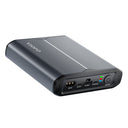
VIOFO BP60 5000mAh Dash Cam Battery Pack for Parking Mode
Overview Spec Compare Accessories FAQ Review
VIOFO BP60 5000mAh Compact Dash Cam Battery Pack for Parking Mode, 45-Min Fast Charging, Built-in Bluetooth
1/7

VIOFO BP60 5000mAh Dash Cam Battery Pack for Parking Mode

Sale price$219.99
Select Edition
Quantity:
Subtotal
Sale price$219.99

Dash Cam Battery Pack

Mini Size. Extended Recording Time.

VIOFO BP60 dash cam battery pack resting on a car centre console

Built for Smarter Parking Protection

BP60 cutaway showing its 5000mAh LiFePO4 cells

Fast Hardwire Charge

BP60 charging through its hardwire input, 45 minutes to full

Extended Parking Guard

Clock dial reading 20 hours over a car parked at night

Seamless Bluetooth Control

Hand holding a phone with the VIOFO app showing the BP60 at 100%

Multi-Layer Battery Safety

BP60 inside a glowing shield surrounded by protection icons

Estimated Parking Runtime

With a 5000mAh capacity, the BP60 stores power as you drive and keeps your dash cam running longer while parked, extending parking surveillance without draining your vehicle's battery.

  • 1CH Dash Cam ≈ 20 hours
  • 2CH Dash Cam ≈ 16 hours
  • 3CH Dash Cam ≈ 12 hours
Car parked at night under a protective dome of light

*Note: Estimated runtimes are based on average test results.
Actual runtime may vary depending on the dash cam model, recording mode, and operating conditions.

The Fastest & Cleanest Setup

Charge the BP60 directly through your vehicle's fuse box using the 3-wire hardwire cable for a seamless, hidden installation.

Plug-and-Play Convenience

Power up effortlessly via your vehicle's 12V socket — no fuse box wiring required.

Home & On-the-Go Charging

Easily recharge the BP60 at home, in the office, or on the go using any compatible USB-C adapter.

Hardwire cable connected to a vehicle fuse box
Power cable plugged into a car 12V cigarette lighter socket
BP60 charging from a USB-C wall adapter on a side table

*Note: Charging times may vary based on power output, ambient temperature, and operating conditions.

Advanced LiFePO4 Technology

Using LiFePO4 cells, the BP60 performs reliably in summer heat and winter cold. It recharges rapidly while driving, providing continuous power for extended parking surveillance and ensuring your vehicle stays protected around the clock.

  • Wide Temperature OperationsWide Temperature Operations
  • High Thermal StabilityHigh Thermal Stability
  • Ultra-Long Cycle LifeUltra-Long Cycle Life
  • Eco-Friendly EnergyEco-Friendly Energy
Transparent view of the BP60 four LiFePO4 cells, 5000mAh

Connect, Check, and Stay Informed

With built-in Bluetooth, you can connect BP60 to the VIOFO Dashcam App to check battery status, view key information, and receive important alerts in real time.

Quick Bluetooth Connection

Search for your BP60 in the VIOFO Dashcam App, and connect via Bluetooth for quick access to battery information and settings.

VIOFO app screens: the battery pack list and the BP60 detail page

Multiple Battery Protection

BP60 features a built-in Battery Management System (BMS) that monitors key operating conditions and provides protection against overheating, overcurrent, overcharge, over-discharge, over-voltage, and short-circuit conditions, ensuring safer and more reliable everyday use.

BP60 cutaway with a thermometer shield over the cells

Estimated Parking Recording Time

The table below shows the estimated parking recording hours a fully charged BP60 Battery Pack delivers with VIOFO dash cams in each parking recording mode.

Dash Cam ModelParking Recording ModeRecording TimeWorking Power / W
A119 MINI 2Low Bitrate Recording24h 38min2.34
Time-lapse 1 fps Recording26h 18min2.21
A119M ProLow Bitrate Recording16h 41min3.40
Time-lapse 1 fps Recording17h 48min3.37
Time-lapse 1 fps (SNV)20h 35min2.7
A229 Plus 2CHLow Bitrate Recording15h 33min4.2
Time-lapse 1 fps Recording17h 4min4
Time-lapse 1 fps (SNV)22h 6min2.9
A229 Pro 2CHLow Bitrate Recording11h 31min5.88
Time-lapse 1 fps Recording13h 26min5.4
Time-lapse 1 fps (SNV)17h 54min3.3
A329S 2CHLow Bitrate Recording14h 1min4.32
Time-lapse 1 fps Recording15h 48min3.84
Time-lapse 1 fps (SNV)23h 10min2.6
A149 Pro 2CHLow Bitrate Recording15h 41min4.16
Time-lapse 1 fps Recording18h 6min3.64
Time-lapse 1 fps (SNV)22h 50min2.86
A229 Plus 3CHLow Bitrate Recording11h 15min6.3
Time-lapse 1 fps Recording12h 51min5.4
Time-lapse 1 fps (SNV)15h 8min3.9
A229 Pro 3CHLow Bitrate Recording8h 31min7.56
Time-lapse 1 fps Recording10h 12min6.84
Time-lapse 1 fps (SNV)12h 44min4.55
A329S 3CHLow Bitrate Recording9h 23min5.88
Time-lapse 1 fps Recording11h 17min5.04
Time-lapse 1 fps (SNV)14h 41min4.1
T330 3CHLow Bitrate Recording9h 13min6.42
Time-lapse 1 fps Recording10h 5min5.59
Time-lapse 1 fps (SNV)15h 18min3.51
T340 4CHLow Bitrate Recording8h 35min6.89
Time-lapse 1 fps Recording9h6.11
Time-lapse 1 fps (SNV)12h 3min4.29

*Note: Actual results may vary with video resolution, HDR settings, parking mode, and environmental conditions.

Flexible Installation Options

BP60 placed on the carpet under a front seat
Under the Front Seat(Easy Access & Out of the Sun)
BP60 placed inside a centre console
Inside the Center Console(Clean & Out of Sight)
BP60 placed inside a glove compartment
In the Glove Compartment(Recommended — Safest & Cleanest)

*Note: Whenever space permits, choose the glove compartment to keep the unit hidden from view and protected from direct sunlight.

Product Layout

BP60 front panel with numbered callouts for each port and indicator
  1. Input Port
  2. USB-C In / Out Port
  3. Output Port
  4. USB-C Dashcam Port
  5. Battery Status Indicator
  6. Charging Status Indicator
  7. Bluetooth Status Indicator
  8. Power On | Off / Reset

Product Size

BP60 dimensions: 130 mm wide, 140 mm deep, 35 mm high

Packing List

  • Battery Pack × 1Battery Pack × 1
  • Hardwiring Power Cable × 1Hardwiring Power Cable × 1(Length: 3 m)
  • Cigarette Lighter Plug Power Cable × 1Cigarette Lighter Plug Power Cable × 1(Length: 2 m)
  • Hardwire Cable Adapter × 1Hardwire Cable Adapter × 1(Length: 2 m)
  • Type-C Hardwire Output Cable × 1Type-C Hardwire Output Cable × 1(Length: 4 m)
  • Dash Cam Type-C Power Cable × 1Dash Cam Type-C Power Cable × 1(Length: 3.5 m)
  • Fuse HolderFuse Holder(4 types)
  • FuseFuse(4 types)
  • Velcro Tapes × 2Velcro Tapes × 2
  • User Manual × 1User Manual × 1

Product Information

  • NameBP60
  • Battery Capacity64Wh (12.8V/5000mAh)
  • Typical Runtime≈20 hours
  • Operating Temperature-20°C~70°C
  • Operating & Storage Humidity5%~90%
  • Storage Temperature-30°C~90°C
  • Working PowerDC 10V~28V
  • Size130 x 140 x 35 mm
  • Weight0.82 KG

Dash Cams Comparisons

${ getSelectedLabel(item.productId) }
${ option.label }
Buy Now
  • ${ item.name }
  • ${ value ? value: '-' }

Accessories

Video

Frequently Asked Questions

How does the BP60 compare to just using a hardwire kit?
A hardwire kit (HK4 or HK6) draws power from your vehicle's 12V battery and relies on a voltage cutoff to avoid a dead car battery. The BP60 is a separate, dedicated battery that never touches your car battery: it charges while you drive and powers the dash cam on its own when parked, so parking coverage stays predictable even with an older car battery or in cold weather.
How long can the BP60 run my dash cam in Parking Mode?
About 20 hours for a single-channel dash cam drawing 3W. Two- and three-channel cameras draw more, so expect roughly 16 hours and 12 hours. Actual runtime depends on the camera model, the parking recording mode and the temperature.
What is the difference between the BP60 and the BP100?
Capacity and size. The BP60 is the compact pack: 5000mAh / 64Wh, 130 x 140 x 35 mm, 0.75 kg, about 20 hours on a single-channel camera, and its USB-C IN/OUT port charges the pack or your phone. The BP100 is the high-capacity pack: 7650mAh / 98Wh, 171 x 171 x 35 mm, 1.22 kg, about 32 hours, and it can be expanded with EP100 batteries. The BP60 has no expansion port.
Is the BP60 compatible with my dash cam?
The BP60 is designed and tested for VIOFO dash cams. Use the cables in the box: the Dash Cam Type-C Power Cable on the DASHCAM port, or the Type-C Hardwire Output Cable / Hardwire Cable Adapter on the OUTPUT port. Older VIOFO models with a mini-USB power port (A119 V3, A129 Plus, A129 Pro) use the optional Hardwire Output Cable with a Mini-USB connector, sold separately.
Do I still need a hardwire kit if I have the BP60?
No. The BP60 comes with its own hardwire output cables that support Parking Mode, so a hardwire kit is unnecessary. If an HK4 or HK6 is already installed, disconnect it from the car battery first; do not connect a hardwire kit to the BP60's output.
Which BP60 ports support Parking Mode?
Parking Mode needs the ACC signal, which tells the dash cam that the engine is off. The OUTPUT port (with the Type-C Hardwire Output Cable or the Hardwire Cable Adapter) and the DASHCAM port (with the Dash Cam Type-C Power Cable) both provide it. The USB-C IN/OUT port and the Cigarette Lighter Output Cable are plain power outputs without ACC detection, so they cannot trigger Parking Mode.
How long does the BP60 take to charge?
About 45 minutes from empty to full through the hardwire cable, about 65 minutes through the cigarette lighter cable, and about 85 minutes over USB-C with a 60W adapter. The pack charges while you drive, so even short trips top it up.
Can I charge the BP60 with a USB-C phone or laptop charger?
Yes. Unlike the BP100, the BP60 has a bi-directional USB-C IN/OUT port: it accepts up to 60W from a USB-C PD adapter, so you can charge the pack at home or in the office, and the same port can fast-charge a phone or another USB device when you need emergency power.
Does the BP60 have low-voltage protection for the car battery?
Yes. Through the hardwire cable the BP60 charges only while ACC power is present, so charging stops as soon as the engine is turned off. Through the cigarette lighter cable it charges only while the socket supplies at least about 10V. Either way the BP60 does not draw on a parked car's battery.
Is the BP60 safe to leave in a hot car?
The BP60 uses LiFePO4 (lithium iron phosphate) cells, chosen for their thermal stability in vehicle environments, and monitors its temperature with three internal sensors. The VIOFO App shows a high-temperature warning at 50°C (122°F) and the pack shuts down automatically if it exceeds 70°C (158°F). Whenever space permits, install it in the glove compartment, out of direct sunlight.
Does the BP60 work in cold weather?
Yes. To protect the cells, the BP60 stops charging when the battery temperature is below 0°C (32°F) and resumes once it rises above freezing. Power output to the dash cam continues to operate down to -20°C (-4°F).
Does the BP60 work with 24V vehicles?
Yes. The BP60 supports both 12V passenger vehicles and 24V commercial vehicles: the hardwire input accepts 11.8-28V and the cigarette lighter input 10-28V.
What should I do if I cannot find BP60_XXXX in my Bluetooth list?
Power the BP60 on first: the Bluetooth module only starts once the pack is on. Then check that the VIOFO App has Bluetooth and location permissions, stay within a few metres of the pack, and make sure it is not still connected to another phone.
How do I reset the BP60?
Press and hold the ON/OFF button for 8 seconds. A 2-second press powers the pack on or off.
Why does the BP60 beep?
Two beeps mean the pack has just powered on; one beep means it has powered off. Nothing is wrong.
Do I need the separate VIOFO Battery app?
No. Battery pack features are integrated into the main VIOFO App, which manages the dash cam and the BP60 together. Pair the BP60 in the VIOFO App to see its charge level, temperature and remaining runtime, and to receive low-battery and high-temperature alerts.

Reviews