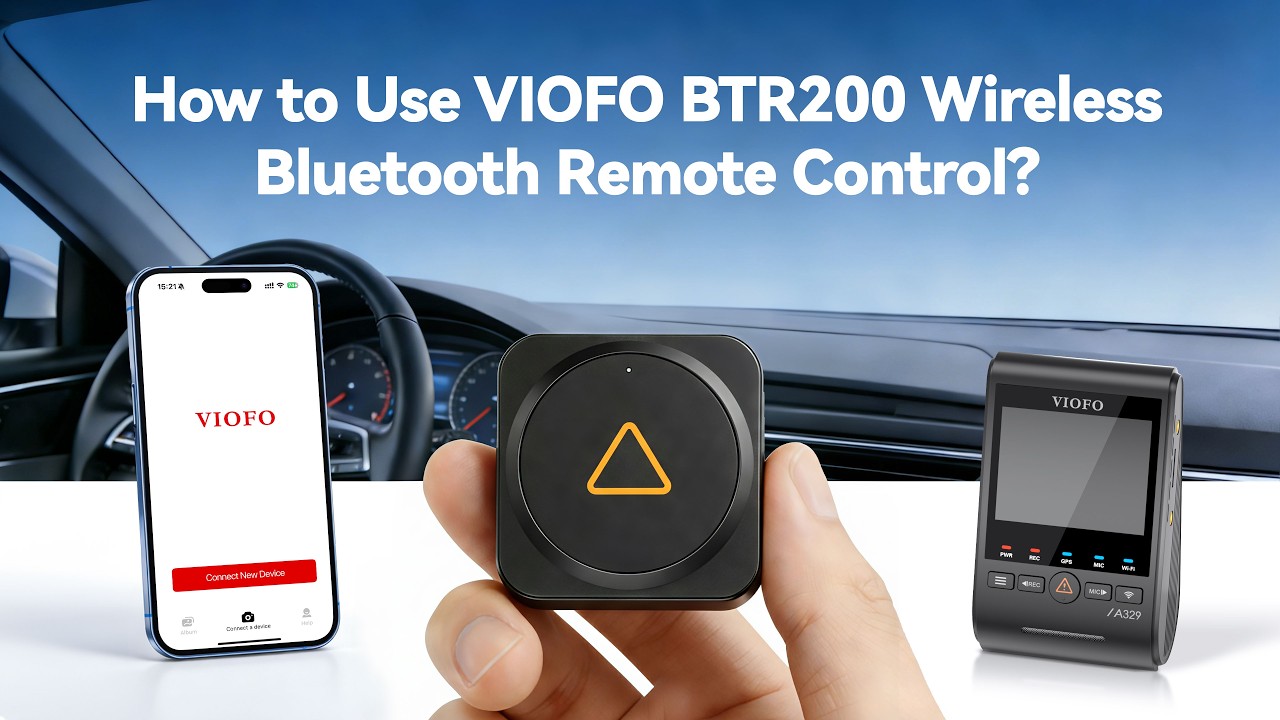
VIOFO Upgraded Version BTR200 Wireless Bluetooth Remote Control
Overview Video FAQ Review
VIOFO Upgraded Version BTR200 Wireless Bluetooth Remote Control - Viofo - official
1/7

VIOFO Upgraded Version BTR200 Wireless Bluetooth Remote Control

Sale price$19.99
Quantity:
Subtotal
Sale price$19.99

Product Information

Dash Cams Comparisons

  • ${ item.name }
  • ${ value ? value: '-' }

Accessories

Video

Viofo Upgraded Wireless Bluetooth Remote: BTR200

How to Pair A329S Dashcam with Bluetooth Remote Control

How to Pair A229 Ultra Dashcam with Bluetooth Remote Control

Frequently Asked Questions

Compatibility Pair Battery Reset Manual
  • Which models support the BTR200?
    All of our current models for sale, except for the A119 V3, support Bluetooth remote control. If compatible, you can see it listed as an optional accessory on the product purchase page.
  • How to pair the BTR200 with the camera?
    1. Power on the camera.
    2. Press and hold the video lock button on the remote control for 3 seconds to pair with the camera.
    3. If you get paired successfully, the LED indicator of the remote turns blue.
  • Why does my Bluetooth Remote Control not work?
    If you press the button and see no blue LED, but a red LED flashes instead, it means the pairing was unsuccessful. We recommend resetting both the Bluetooth remote and the camera, then trying the pairing process again.
  • How to replace the battery?
    1. Open the battery cover by sliding it to the right.
    2. Place the new battery with the '+' symbol facing upward.
    3. Lock the battery cover by sliding it to the left. (A spare sticker and a new CR2032 battery are included in the package.)
  • How to reset the Bluetooth Remote Control?
    Take out the battery inside the control and then put it back.
  • What's the control distance?
    The control Distance is 5 meters. You can install the BTR200 in a location that suits your preferences and is convenient.
  • Can I have a user manual for BTR200?
    You can find the user manual for the BTR200 by clicking the following link: BTR200 Remote Control Manual.
  • If I press the save recording button, does it only save the current file?
    If the button is triggered in the first 15 seconds of one video, it locks the current video file and the previous video file.
    If triggered in the last 15 seconds of one video, it locks the current video file and the next video file.

Reviews

Customer Reviews

Based on 13 reviews
100%
(13)
0%
(0)
0%
(0)
0%
(0)
0%
(0)
B
BRIAN

I like it. It does whar i want.

A
Anonymous
Awesome!

I purchased this button for my new A329S, and I’m very satisfied with the device. No matter which button I use, it’s very responsive completing whatever task emergency button, mic on and off, and my most used WiFi on and off. You can ever reprogram, the side buttons to other tasks you may want. Either way very cool!

T
Tony Marsh
Excellent accessory for A329T

The BTR200 is a good upgrade from the original Viofo bluetooth remote. The addition of 2No customisable side buttons makes it much more useful. I have mine set to power off and WiFi on/off which are far more convenient than waking up the screen followed by a long-press on the dashcam buttons.

W
Wesley
Works well, easy operation

Besides the primary function of locking down video footage, I really like the customization of the two side buttons to control other useful operations like turning on/off the microphone and powering down the unit when not needed. Ideal if it was included as a complete package vs being an option.

J
John

Love it. Makes controlling the dash cam much easier.

VIOFO BTR200

Bluetooth Remote Control

BTR200_01.jpg__PID:a940cefd-c127-4b0c-aa8e-46e7cae14ed6

More Buttons

Easy Control

Just one press to instantly lock the current video clip and take a snapshot.
Press the icon1 button to set the audio on/off. Press the icon1 button to turn on/off Wi-Fi.

BTR200_02.jpg__PID:d3b945e7-a552-40c5-a72f-b3f9d8827d8b

Button Customization

The two buttons on the side can be customized to set different functions.

BTR200_03_01_01.jpg__PID:cb1cc318-a8fb-4084-82c3-960db392fc38

Mic Button

Turn on/off microphone by default

Action Button

Turn on/off Wi-Fi by default

Customized Functions

BTR200_icon_05.png__PID:9aff953c-94ae-418d-b480-a9d97ce7cacf

Turn On/Off Microphone

BTR200_icon_16.png__PID:94ae918d-f480-49d9-bce7-cacfe04ee6d4

Take a Photo

BTR200_icon_07.png__PID:ff953c94-ae91-4df4-80a9-d97ce7cacfe0

Turn On/Off WiFi

BTR200_icon_09.png__PID:953c94ae-918d-4480-a9d9-7ce7cacfe04e

Power Off

BTR200_icon_11.png__PID:3c94ae91-8df4-40a9-997c-e7cacfe04ee6

Switch to Timelapse Recording

BTR200_icon_13.png__PID:2d87764a-369c-4e03-99f3-1c4540162051

Turn On/Off
HDR

BTR200_03.jpg__PID:7d9f0f3e-e917-4523-83c5-c0ef294f0d91

Install Anywhere

Install on a suitable and convenient location according to your needs.
Control Distance: 5 meters.

BTR200_04.jpg__PID:c3a474e7-c6ff-492a-93c3-2499e2f97502

Simple Pairing

Press the video lock button for 3 seconds to pair with the dashcam.

Note: The BTR200 Bluetooth remote control is now compatible with VIOFO A229 Pro, A229 Plus and VS1 dashcam. The firmwares of A229 Pro and A229 Plus should be updated to version V1.3, and the firmware of VS1 to version V1.1. This Bluetooth remote control will soon support pairing with more VIOFO dashcam models.

BTR200_05.jpg__PID:a474e7c6-ff79-4a53-8324-99e2f975023c

Product Size

BTR200_06.png__PID:cf83e32a-d3f6-4efd-a864-434e51592098

Packing List

03_03.png__PID:a9457658-850e-4186-83eb-3b49c80fbc0d

User Manual

03_05.png__PID:45765885-0e61-46c3-ab3b-49c80fbc0d79

Bluetooth Remote Control

03_09.png__PID:7658850e-6186-43eb-bb49-c80fbc0d7917

3M Adhesive

03_11.png__PID:58850e61-86c3-4b3b-89c8-0fbc0d791746

CR2032 Battery