VIOFO EP100 Expansion Battery for BP100 Battery Pack, Easy to Expand Capacity for Much Longer Parking Recording
Overview FAQ Review
VIOFO EP100 Expansion Battery for BP100 Battery Pack, Easy to Expand Capacity for Much Longer Parking Recording - Viofo - official
1/8

Free shipping and tax-inclusive from the US stock within 5-7 business days. EP100 cannot operate independently and must be used with BP100.

VIOFO EP100 Expansion Battery for BP100 Battery Pack, Easy to Expand Capacity for Much Longer Parking Recording

Sale price$189.99 Regular price$209.99
Save 10%
Quantity:
Subtotal
Sale price$189.99 Regular price$209.99

VIOFO EP100 — Expand Your BP100 for Much Longer Parking Surveillance

The EP100 is an expansion battery module that connects to the VIOFO BP100 battery pack to significantly extend parking mode recording time. Each EP100 adds substantial capacity — connect up to two EP100 units to a single BP100 to roughly triple your total parking surveillance time. If 32 hours of parking protection isn't enough, the EP100 makes multi-day coverage possible without touching your vehicle's battery.

399.jpg__PID:8055390a-a043-41ea-95f8-4bbbe3b7aeb1

Simple Expansion, No Replacement Needed

The EP100 connects to the BP100 via a simple cable — no tools, no complex installation. After connecting, set the number of expansion batteries in your dash cam's settings, and the system automatically manages power distribution and displays accurate remaining runtime via the VIOFO Bluetooth app. The EP100 charges through the BP100 while you drive, so the entire system stays topped up automatically.

3840-BP100_02.jpg__PID:293319c7-9903-43b3-bc10-839dd0355d4a054.jpg__PID:b1852e67-c642-48f8-9696-2d72ff95af96

Ideal for Multi-Day and Fleet Parking Protection

One BP100 + one EP100 covers most weekend parking scenarios. One BP100 + two EP100 units provides extended coverage for airport parking, vacation trips, fleet vehicles parked overnight, or any situation where your vehicle sits unattended for days. The BP100's temperature protection and battery management extend to all connected EP100 units for safe, reliable long-term operation. 

*Important: the EP100 cannot function on its own — it requires a BP100 as the base unit.

021_01.jpg__PID:9be21b50-d027-48c4-9cd0-b62eb1852e67

Over-Temperature Protection

021_03.jpg__PID:1b50d027-88c4-4cd0-b62e-b1852e67c642

Over-Current Protection

021_05.jpg__PID:d02788c4-9cd0-462e-b185-2e67c64258f8

Over-Charge Protection

021_07.jpg__PID:88c49cd0-b62e-4185-ae67-c64258f85696

Over-Discharge Protection

021_09.jpg__PID:9cd0b62e-b185-4e67-8642-58f856962d72

Over-Voltage Protection

021_11.jpg__PID:b62eb185-2e67-4642-98f8-56962d72ff95

Short-Circuit Protection

21561.jpg__PID:5588baf2-d52d-4ab8-a71c-f8826b87389902_02.jpg__PID:1255304f-2191-4f75-ac98-d82a0421c75a

Product Size

265.jpg__PID:c64258f8-5696-4d72-bf95-af96e47290f9265.jpg__PID:c64258f8-5696-4d72-bf95-af96e47290f9

Packing List

1. Packing Box
2. Expansion Battery
3. Connecting Cable

2156.jpg__PID:16aed61e-11e2-492a-9330-efd9131c1d6a

Product Information

Dash Cams Comparisons

${ getSelectedLabel(item.productId) }
${ option.label }
Buy Now
  • ${ item.name }
  • ${ value ? value: '-' }

Accessories

Video

Frequently Asked Questions

Can I use the EP100 without a BP100?
No. The EP100 is an expansion module that must be connected to a BP100 battery pack to function. It does not have its own power management, charging circuit, or output ports. The BP100 serves as the controller and charger for all connected EP100 units.
How much extra recording time does one EP100 add?
Each EP100 adds capacity roughly equivalent to the BP100 itself. With one EP100, expect approximately double the recording time compared to BP100 alone. With two EP100 units, expect approximately triple. Exact runtimes depend on your dash cam model, number of channels, and recording mode.
Does adding an EP100 affect charging time?
Yes. Charging BP100 + EP100 together takes longer than charging the BP100 alone, since the total capacity is larger. However, the system charges through the BP100 while driving, so for most daily commuters the entire system stays topped up during normal driving. Longer initial charge times are only noticeable when charging from empty.
How do I connect the EP100 to the BP100?
Connect the EP100 to the BP100 using the included cable — it is a simple plug-in connection with no tools required. After connecting, go into your dash cam's battery settings and set the number of expansion batteries so the system can accurately display remaining power and runtime. The VIOFO Bluetooth app will show the combined battery status.
Is the EP100 worth buying, or should I just get a second BP100?
The EP100 is specifically designed to expand a single BP100 system. A second BP100 would require separate installation, separate cables, and cannot share power management with the first unit. The EP100 integrates seamlessly — one system, one Bluetooth connection, one status display, automatic power distribution. It is the intended and most efficient way to extend your parking recording time.
What's the difference between BP100 and EP100?
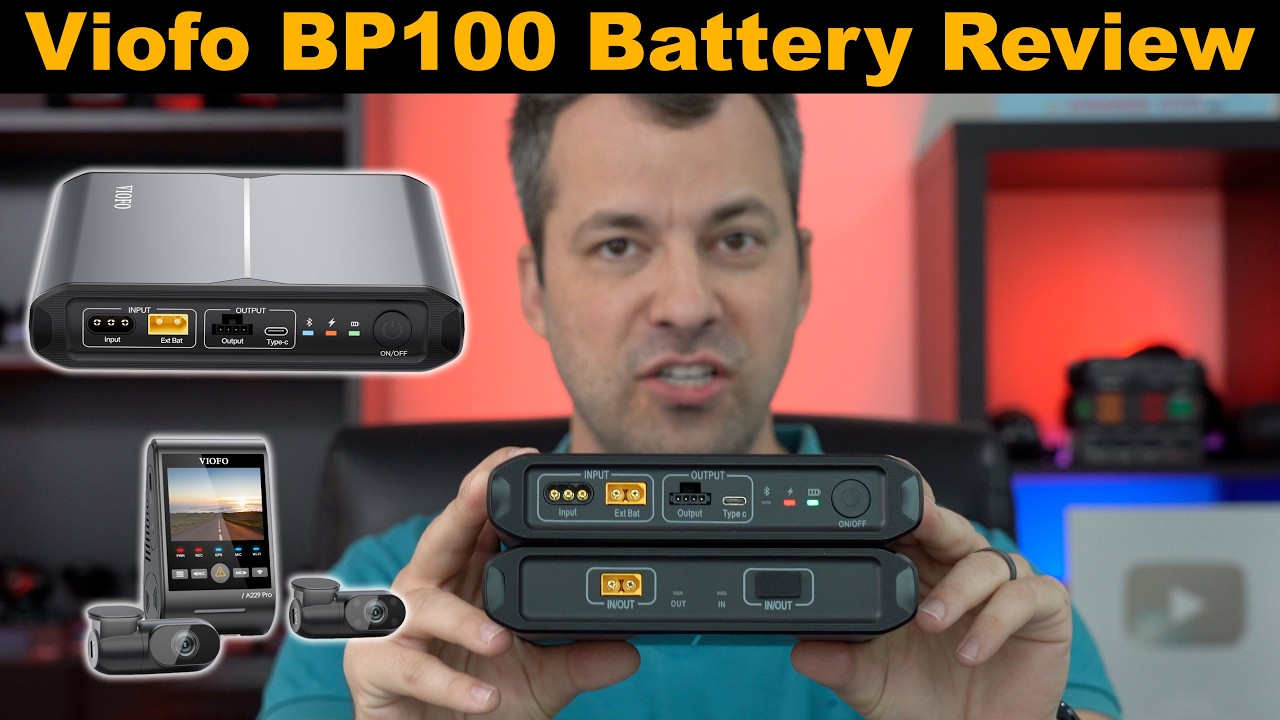
The BP100 is a battery pack, providing a rechargeable power source for your dashcam.
The EP100 is an Expansion Battery for the BP100 Battery Pack and can't work separately. It needs to be connected to the BP100 to get it to work.
Is BP100 compatible with my dashcam?
Yes, the BP100 battery pack is compatible with all VIOFO dashcams. Please make sure you're using our original cables.
Do I need to order EP100?
The capacity of the BP100 battery pack is 7650mAh. If it is not sufficient for you, then we recommend EP100.
How to install the BP100, or how would the HK4/ HK6 work with the battery pack if you already have it installed?
BP100 comes with its own power supply cables(not including the hardwire kit). You need to remove the HK4/HK6 hardwire kit from the car battery first.

Input for BP100 Battery Pack (2 Options):
1. Connect the Hardwiring Power Input Cable (3M) from the BP100 to your car's battery (or the fuse box, depending on the setup).(Recommended)
2. Plug the Cigarette Lighter Plug Power Input Cable (2M) into your vehicle's cigarette lighter socket and connect the other end of the cable to the BP100 battery pack.

Output for the BP100 Battery Pack (3 Options):
1. Using the Hardwire Output Cable (Type-C, 4M) to connect the BP100 to the dashcam GPS power port directly. (Parking mode supported). (Recommended)
2. Using the Hardwire Output Cable Adapter (2M) to connect the BP100 to the HK4/HK6 hardwire kit to power the camera. (Parking mode supported).
3. Using the Cigarette Lighter Output Cable (0.3M) to connect the BP100 to the original car charger to power the camera. (Parking mode not supported).
Do I still need to buy/install the hardwire kit if I have the BP100 battery pack?
No, a hardwire kit is unnecessary. BP100 comes with a Hardwire Output Cable (Type-C, 4M) that supports parking mode.
What should I do if I cannot find BP100__XXXX in my Bluetooth list?
If the battery device does not appear on your phone, please follow these troubleshooting steps:
1. Power On the Device: Ensure the battery is powered on first. The Bluetooth module activates automatically only after the device is turned on.
2. Check Proximity: Keep your phone and the battery within a range of 10 meters (33 feet) to ensure a stable signal.
3. Check App Permissions: Go to your phone's Settings, locate the battery companion app, and ensure that Bluetooth Permissions are toggled ON.
4. Reset Bluetooth Connection: If your phone's Bluetooth is already on but the device isn't showing up, try toggling it OFF and then back ON to refresh the search list.
How to handle Low Voltage and High Temperature pop-up alerts?

Low Voltage Alert: When the battery drops to 10%, a low voltage pop-up will appear. You can simply ignore it or manually close it by clicking the icon X in the top-right corner. The battery will not shut down automatically at this point; it will only power off when the level reaches 0%.

High Temperature Alert: A high temperature pop-up will appear if the battery reaches 70℃+-5℃ during discharge, or 50℃+-5℃ during charging. You can ignore the alert or click the icon X in the top-right corner to close it. The battery will not shut down immediately, but it will automatically power off if the temperature exceeds the 70°C safety limit.
Why is Parking Mode not working?
To enable Parking Mode, please ensure the following requirements are met:
Use the Correct Cables: You must use the specific cables provided in the battery box: either the Hardwire Output Type-C Cable (4M) or the Hardwire Output Cable Adapter (2M).

Correct Wiring (for Hardwire Output Cable Adapter): If you are using the adapter cable, ensure the colors match correctly:
Connect the Red wire to the Hardwire Kits Red wire.
Connect the Yellow wire to the Hardwire Kits Yellow wire.

Important Connection Note: To support Parking Mode, the cable must be plugged into the Output (Parking Mode Supported) port. The Type-C port on the battery is strictly for mobile phone charging only.
Why must I manually set the number of expansion batteries, and what happens if I set it incorrectly?
Automatic vs. Manual Detection: When only one expansion battery is connected, the device can automatically detect it and update the count to 1.
However, when two expansion batteries are connected, the device can not automatically update the number of expansion batteries. Therefore, you need to manually change the number to 2 within the app settings.

Impact of Incorrect Settings: If the battery count is set incorrectly, the following four parameters displayed in the App will be inaccurate:
a. Remaining Charging Time
b. Remaining Usage Time
c. Battery Capacity
d. Battery Percentage (%)
How long will the BP100 battery pack supply power for A329S 3CH with Parking Low bit rate recording?
For A329S 3 CH, it can record about 12 hours when the battery is fully charged during parking mode. If you usually park your car for a long time, you can consider adding the EP100 Expansion Battery. And the battery packs can be charged again during your next drive.

Reviews